Modernization vs Transformation vs Upgrade: Which Does Your Software Actually Need?
Not every outdated system needs a transformation. Learn when a simple upgrade is enough, when software needs modernization, and when the business process itself needs to change.
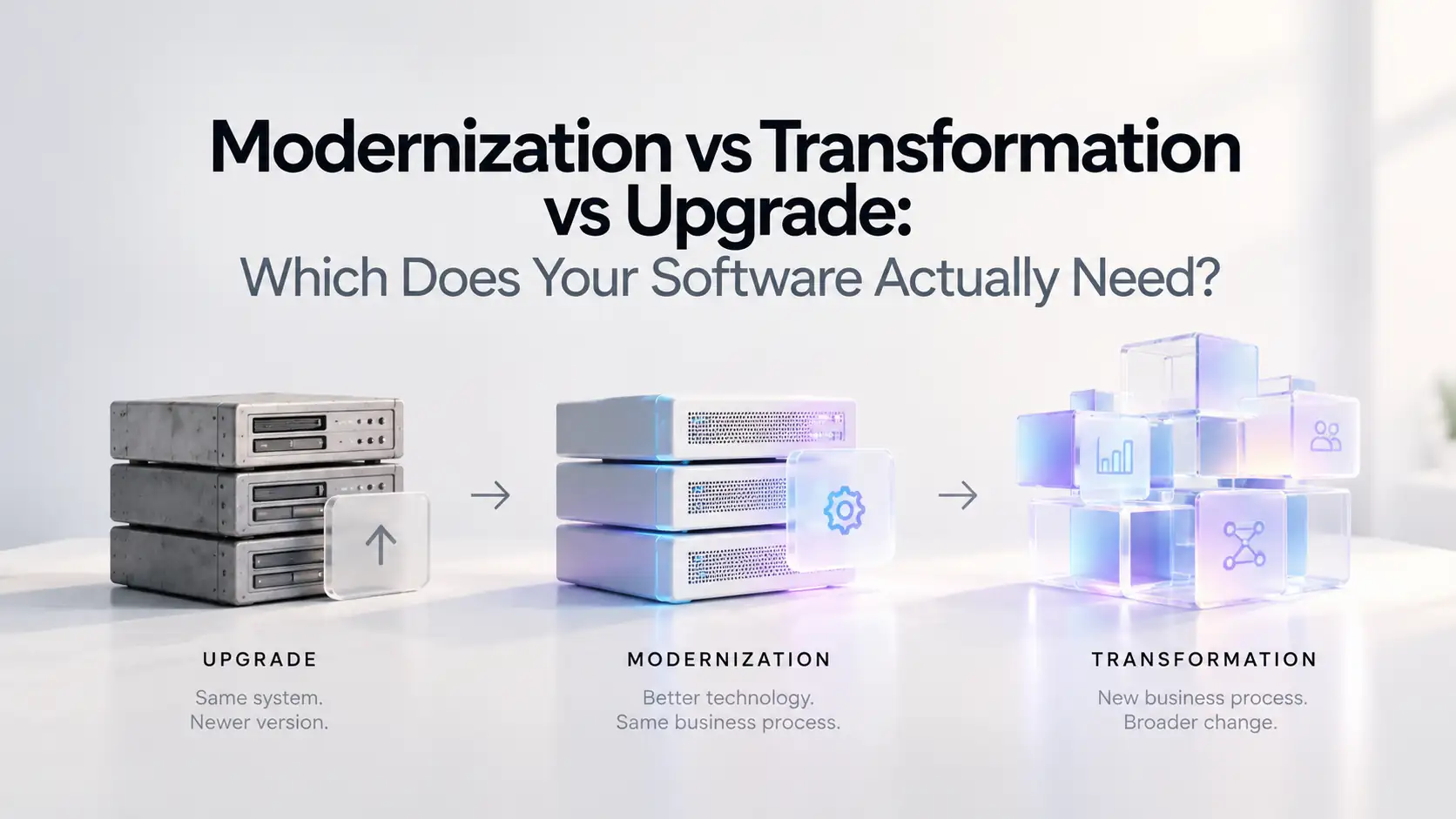
Your software feels outdated.
Maybe releases are getting slower. Integrations are becoming harder. Employees are building workarounds. A vendor is ending support. Or the system still works technically, but the business has changed around it.
At that point, three words usually appear:
Upgrade. Modernization. Transformation.
They are often used as if they mean the same thing.
They do not.
Choosing the wrong scope can turn a manageable software project into an expensive multi-year initiative — or leave you with newer technology that still supports the same broken process.
The real question is not:
"How old is our software?"
It is:
"What exactly is preventing the business from working better?"
That answer tells you whether you need an upgrade, modernization, or transformation.
Quick answer
Choose an upgrade when the existing system still fits the business and mainly needs a newer supported version, security patches, features, or compatibility improvements.
Choose modernization when the business process still makes sense, but the software architecture, infrastructure, integrations, data, or user experience are holding it back.
Choose transformation when the problem is bigger than the software — the workflow, operating model, customer experience, or way the business works needs to change.
A simple way to think about it:
| Approach | What changes? | Best when |
|---|---|---|
| Upgrade | Version or component | The system still works and fits the business |
| Modernization | Technology foundation | The process works, but the technology is limiting it |
| Transformation | Business process + technology | The way the business operates needs to change |
The difference is mostly scope.
What is a software upgrade?
An upgrade is the smallest of the three.
You keep the same fundamental system and move it to a newer version or improve a specific component.
Examples include:
- Upgrading a framework
- Updating an ERP version
- Moving to a supported database release
- Updating an operating system
- Replacing an outdated dependency
- Adding security patches
- Enabling features available in a newer release
- Updating an application for browser or device compatibility
The underlying application still serves the same purpose.
The business workflow usually stays the same.
Example
Imagine your company uses an internal inventory application.
It does what employees need.
The database structure is fine.
The workflows are fine.
The application integrates correctly with other systems.
But it runs on an unsupported framework.
You probably do not need digital transformation.
You may not even need major modernization.
You may simply need an upgrade.
Signs you only need an upgrade
An upgrade is usually enough when:
- The application still meets business requirements
- Users are generally satisfied with the workflow
- Architecture is still maintainable
- Existing integrations work
- Performance is acceptable
- Data is structured correctly
- Security problems can be resolved through supported updates
- The main problem is an outdated version or dependency
The key signal is:
The system is fundamentally right. One part of its technology is simply behind.
What is software modernization?
Modernization goes deeper.
Instead of simply moving to a newer version, you change parts of the application's technical foundation so it becomes easier to maintain, integrate, scale, secure, or extend.
Modernization might involve:
- Refactoring application code
- Replacing an outdated frontend
- Replatforming infrastructure
- Moving selected workloads to the cloud
- Creating APIs
- Breaking tightly coupled modules apart
- Improving database architecture
- Modernizing authentication
- Introducing CI/CD
- Improving monitoring and observability
- Replacing manual deployments
- Creating an integration layer
- Modernizing individual modules instead of rebuilding everything
IBM describes application modernization as improving outdated applications through changes to their code, architecture, or infrastructure. Modernization is often one part of a wider transformation rather than the transformation itself.
Signs you need modernization
Modernization is usually the right level when the business process is still valid but the technology makes it unnecessarily difficult.
For example:
New features take too long
Something that should take days takes months because developers are afraid of breaking unrelated parts of the system.
Integrations are painful
Connecting a new CRM, payment provider, AI system, mobile app, or analytics platform requires custom work every time.
The application is difficult to deploy
Releases depend on manual steps, specialist knowledge, or long maintenance windows.
Infrastructure has become a limitation
The application cannot scale efficiently or operating it has become unreliable and expensive.
The interface is hurting productivity
The underlying business logic still works, but users struggle with old screens and unnecessarily complicated workflows.
Security improvements are difficult
Modern authentication, permissions, encryption, or monitoring cannot be added cleanly.
Important business logic is trapped inside one application
Other systems need the same capabilities, but there are no APIs or clean service boundaries.
These are modernization problems.
The business does not necessarily need to reinvent what it does.
The technology needs to stop getting in the way.
What is digital transformation?
Transformation is much broader.
Digital transformation happens when technology is used to change how the business operates, not simply how the software is built.
The existing software may be outdated.
But the deeper problem is that the workflow itself no longer makes sense.
Transformation can involve:
- Redesigning business processes
- Automating previously manual operations
- Consolidating disconnected systems
- Changing how customers interact with the company
- Giving customers self-service capabilities
- Creating new digital products
- Introducing real-time data into decisions
- Changing how departments share information
- Replacing email and spreadsheet workflows
- Using AI to change how work is performed
- Creating entirely new operating models
The software changes because the business process is changing with it.
Signs you need transformation
You probably need more than modernization when employees say things like:
"That's just how we've always done it."
or:
"We have to enter the same information into three systems."
or:
"The software works, but the whole process takes five days."
Those are not necessarily technology problems.
They are workflow problems.
Look for these signals
- Employees rely heavily on spreadsheets outside the main system
- Information is manually copied between departments
- Approvals happen through email or chat
- Customers have to contact employees for tasks that could be self-service
- Multiple systems exist because no single workflow connects the process
- Reporting requires manual exports
- Employees repeatedly re-enter the same information
- The existing software reflects a business model the company no longer uses
- Technology improvements alone would preserve an inefficient workflow
In these situations, modernizing the old application may simply make a bad process run on newer technology.
Upgrade vs modernization vs transformation
Here is the practical difference.
| Question | Upgrade | Modernization | Transformation |
|---|---|---|---|
| Same business process? | Yes | Usually | Not necessarily |
| Same application? | Mostly | Partially | Maybe not |
| Architecture changes? | Limited | Often | Often |
| Infrastructure changes? | Sometimes | Common | Depends |
| Workflow redesign? | Rarely | Sometimes | Usually |
| Organizational change? | Minimal | Moderate | Potentially significant |
| User training? | Usually limited | Sometimes | Often |
| Data migration? | Usually limited | Possible | Often |
| Project risk | Lower | Medium | Higher |
| Typical disruption | Low | Low to moderate if phased | Moderate to high if poorly planned |
The biggest difference is not the technology.
It is how much of the organization you are changing at once.
How much time does each approach take?
There is no universal timeline, but the relative difference matters.
Upgrade
A contained upgrade may take:
Days to several weeks
Complex enterprise upgrades can take longer, especially when there are heavy customizations or vendor dependencies.
The disruption is usually relatively low because the business process is not changing.
Modernization
Modernization often takes:
Several weeks to several months
Large systems may be modernized over multiple quarters instead of through one large project.
This is why phased modernization is useful.
You might modernize:
- Infrastructure
- Authentication
- APIs
- One high-friction module
- Frontend
- Additional services
The whole application does not have to change at once.
Transformation
Transformation commonly runs:
Several months to multiple phases or quarters
That is because you are changing more than code.
You may need:
- Process discovery
- New workflows
- New software
- Data migration
- Integrations
- Employee training
- Organizational changes
- Customer migration
- New policies
- Measurement and adoption work
The technology may be only one part of the project.
What does each approach cost?
The same pattern applies to cost.
Upgrade: usually lowest cost
You are changing a limited part of an existing system.
The biggest costs tend to be:
- Engineering
- Testing
- Compatibility work
- Vendor licensing
- Deployment
Modernization: moderate to significant investment
Costs depend heavily on how much technical debt exists.
Modernization may include:
- Architecture work
- Cloud or infrastructure changes
- Refactoring
- Data work
- APIs
- Integration
- Security
- Testing
- Migration
The important difference is that modernization can often be phased.
You can target the areas producing the highest cost or risk first.
Transformation: highest potential investment
Transformation affects both technology and operations.
Costs may include:
- Software development
- New platforms
- Data migration
- Process redesign
- Integrations
- Training
- Change management
- Temporary parallel systems
- Operational transition
It can also create the largest business return because the objective is not simply maintaining technology.
The objective is changing how the business performs.
The fastest diagnostic
Ask three questions.
1. Does the current business process still make sense?
If no, you are probably dealing with transformation.
Do not modernize the software until you understand what the new process should be.
If yes, continue.
2. Does the current architecture still support what the business needs?
If no, you probably need modernization.
If the workflow is right but the technology cannot support it efficiently, improve the technology foundation.
If yes, continue.
3. Is the real problem simply an outdated version or component?
If yes, upgrade it.
That gives you a simple decision tree:
Business process wrong → Transformation
Business process right, architecture wrong → Modernization
Business process right, architecture right, version outdated → Upgrade
Legacy vs modern systems: what actually changes?
A modern system is not simply a legacy system rewritten in a newer programming language.
The difference often appears in how easily the system can change.
A legacy environment may have:
- Tight coupling
- Manual deployments
- Limited APIs
- Shared databases
- Poor observability
- Hard-coded integrations
- Old authentication
- Large release cycles
A modern architecture may use:
- Clear service boundaries
- APIs
- Automated deployment
- Modern identity
- Observability
- Managed infrastructure
- Event-based integrations where useful
- Modular components
But not every application needs microservices, Kubernetes, or a complete cloud rebuild.
Modern architecture should solve a real constraint.
Architecture for its own sake is just another form of technical debt.
Modernization does not automatically mean cloud migration
Moving an application from a company server to AWS, Azure, or Google Cloud does not automatically modernize it.
You can move the exact same architecture into cloud infrastructure and keep most of its original limitations.
That may still be useful.
Perhaps your goal is:
- Leaving an old data center
- Improving disaster recovery
- Reducing hardware management
- Meeting infrastructure requirements
But that is different from changing the application architecture.
A good modernization strategy asks what the system actually needs before choosing the technical solution.
Learn more about Cloud & Infrastructure.
Transformation does not mean replacing everything
The opposite mistake happens too.
Companies hear "digital transformation" and assume every existing system needs to disappear.
Usually, some systems still provide significant value.
Transformation might mean:
- Keeping the ERP
- Replacing an old customer portal
- Building an integration layer
- Automating approvals
- Consolidating reporting
- Adding self-service
- Changing one operational workflow
Transformation should change what needs to change.
Not everything that happens to be old.
You may need all three
Upgrade, modernization, and transformation are not mutually exclusive.
A company may do all three as part of one roadmap.
For example:
Upgrade
Move the ERP to a supported release.
Modernize
Create APIs around it and modernize the customer-facing application.
Transform
Replace the email-and-spreadsheet order approval process with an automated digital workflow.
Three different problems.
Three different scopes.
One overall technology strategy.
This is why it is useful to classify systems individually instead of declaring:
"We're doing a digital transformation."
That phrase alone does not tell anyone what actually needs to change.
Example 1: Your ERP is old but still works
Imagine your ERP supports finance, purchasing, and inventory correctly.
The workflows still match how the business operates.
The main problem is that the version will soon lose vendor support.
Likely answer: Upgrade
Move to a supported release.
Do not redesign the company simply because the software version is old.
Example 2: Your internal application cannot integrate with anything
The workflow is useful.
Employees understand it.
The data model still works.
But every new integration requires manually moving files between systems.
Likely answer: Modernization
You might:
- Build APIs
- Create an integration layer
- Improve authentication
- Separate key modules
- Modernize infrastructure
The business process does not need to change.
The architecture does.
Example 3: Employees use five systems and three spreadsheets for one order
The existing applications may technically work.
But the process itself is fragmented.
Sales enters customer information.
Operations re-enters it.
Finance receives a spreadsheet.
Approvals happen through email.
Customers call someone to check their status.
Likely answer: Transformation
Simply upgrading each application will not solve the problem.
Even modernizing their infrastructure may not solve it.
The workflow itself needs to be redesigned.
Example 4: You want to introduce AI
AI is a good example of why this distinction matters.
Suppose you want employees to ask questions across customer records.
If your current system has:
- Clean APIs
- Good permissions
- Reliable data
you may simply need to add the AI capability.
If the system has no integration layer, you may need modernization first.
If introducing AI changes how an entire department works, the initiative may become part of a broader transformation.
If you're dealing specifically with older systems, read our guide on how to add AI to legacy systems without replacing them.
Do not start by choosing the technology
A modernization initiative often begins with a proposed solution:
"Move everything to the cloud."
"Replace the ERP."
"Build microservices."
"Add AI."
"Rebuild the frontend."
Those may eventually be the right choices.
But they are solutions.
Start with the constraint.
Ask:
- What cannot the business do today?
- Why can it not do it?
- Is the limitation technical or operational?
- Which system creates the limitation?
- What happens if we leave it alone?
- What is the smallest change that removes the constraint?
That last question is particularly important.
The right technology project is not necessarily the biggest one.
A practical system-by-system assessment
For each important application, assess five areas.
Business fit
Does the system still support how the company operates?
Technical health
Can it be maintained, secured, tested, and deployed reliably?
Integration
Can it exchange data with the systems around it?
User experience
Can employees and customers complete their work efficiently?
Future fit
Can the system support what the business expects to need over the next few years?
Then classify it.
Upgrade
The system is healthy but needs current technology.
Modernize
The purpose is right but the technical foundation needs work.
Transform or replace
The application and the process around it no longer fit where the business is going.
For systems where replacement is becoming a serious option, read Modernize or Replace Legacy Software?.
Common mistakes
Calling every project a transformation
Updating a database version is not digital transformation.
Using a bigger word does not create a bigger business outcome.
Modernizing a process that should disappear
Before rebuilding a workflow, ask whether the company should still be doing it that way.
Replacing software because it looks old
Old software can still contain valuable and reliable business logic.
Age alone is not a reason to replace it.
Upgrading when the architecture is the problem
A newer version of the same architecture may preserve the exact limitation causing the problem.
Transforming too much at once
Large changes increase operational risk.
Separate what needs immediate improvement from what can change gradually.
How to sequence the work
If several kinds of change are required, sequence matters.
A reasonable approach is:
1. Stabilize
Address urgent security, reliability, backup, or unsupported-software risks.
2. Understand
Map architecture, dependencies, data, integrations, and workflows.
3. Remove technical blockers
Add APIs, improve infrastructure, modernize authentication, or address the components preventing further work.
4. Improve workflows
Once the technology can support change, redesign inefficient processes.
5. Expand
Introduce additional automation, AI, self-service, analytics, or new digital products where they create measurable value.
This keeps a transformation from becoming one enormous cutover.
How Corpvance approaches the decision
At Corpvance, the first step is determining what kind of problem actually exists.
Sometimes the answer is a straightforward upgrade.
Sometimes valuable software needs a better architecture around it.
And sometimes the software is only one part of a larger operational problem.
We look at:
- Existing architecture
- Infrastructure
- Business workflows
- Data
- Integrations
- Security
- User experience
- Operational risk
- Future requirements
From there, the work might involve:
- Upgrading existing platforms
- Modernizing legacy applications
- Building APIs and integrations
- Moving selected workloads
- Rebuilding individual modules
- Automating workflows
- Adding AI
- Consolidating systems
- Replacing software that no longer fits
- Redesigning the wider business process
The objective is not to maximize the size of the technology project.
It is to make the smallest change that solves the actual problem and creates room for what comes next.
Explore Software Engineering, Digital Transformation, Cloud & Infrastructure, or talk to Corpvance.
Frequently asked questions
What is the difference between modernization and digital transformation?
Modernization improves the technology foundation of existing systems, such as their architecture, infrastructure, integrations, code, or data. Digital transformation is broader and changes how the organization operates, delivers services, or serves customers using technology.
What is the difference between a software upgrade and modernization?
An upgrade normally moves an existing product or component to a newer version while preserving its basic architecture and workflow. Modernization makes deeper changes to the technical foundation so the system becomes easier to maintain, integrate, scale, or extend.
How do I know if my organization needs a technology modernization strategy?
Modernization is worth considering when multiple systems are difficult to maintain, integrate, secure, or extend and individual upgrades no longer solve the underlying problems. At that point, the organization needs a coordinated plan rather than isolated updates.
Is cloud migration considered modernization?
It can be part of modernization, but cloud migration alone does not necessarily modernize an application. Moving an unchanged legacy architecture to cloud infrastructure may improve operations without addressing application-level limitations.
Does modernization require replacing legacy systems?
No. Modernization can involve refactoring, replatforming, improving integrations, creating APIs, changing infrastructure, or replacing individual components while keeping valuable parts of the existing application.
Is digital transformation more expensive than modernization?
Usually it has a larger potential scope because it can involve software, data, workflows, training, operational changes, and customer experience. Actual cost depends on the organization and the problem being solved.
Should we upgrade or modernize our ERP?
If the ERP still fits the business and primarily needs a supported version, an upgrade may be enough. If integrations, architecture, customizations, data, or surrounding workflows are creating larger constraints, broader modernization may be required.
Can modernization and transformation happen together?
Yes. Modernization often provides the technical foundation for broader transformation. For example, creating APIs and improving data access may allow the business to later automate workflows or create new customer experiences.
What should be modernized first?
Start with the constraint creating the greatest combination of business impact, operational risk, and future limitation. That might be security, integrations, infrastructure, data, or one high-friction application rather than the entire technology estate.
Choose the smallest change that solves the real problem
Not every aging system needs transformation.
Not every architecture problem can be solved with an upgrade.
And not every inefficient process should be rebuilt exactly as it exists.
If the system still fits the business, upgrade it.
If the business process works but technology is holding it back, modernize it.
If the process itself no longer makes sense, transform it.
Getting that distinction right before development begins can save far more time and money than any individual technology decision.
Talk to Corpvance about assessing which systems should be upgraded, modernized, transformed, or replaced.
Build with Corpvance
Planning your next technology project?
Talk through your goals, scope, and next steps with our team.
Talk to the Corpvance teamIn this article
- modernization vs transformation
- transformation vs modernization
- software modernization vs upgrade
- technology modernization strategy
- software upgrade and modernization
- legacy vs modern systems
- legacy vs modern architecture
- application modernization
- digital transformation
- legacy system modernization